Backblaze Exclusion Manager
Description
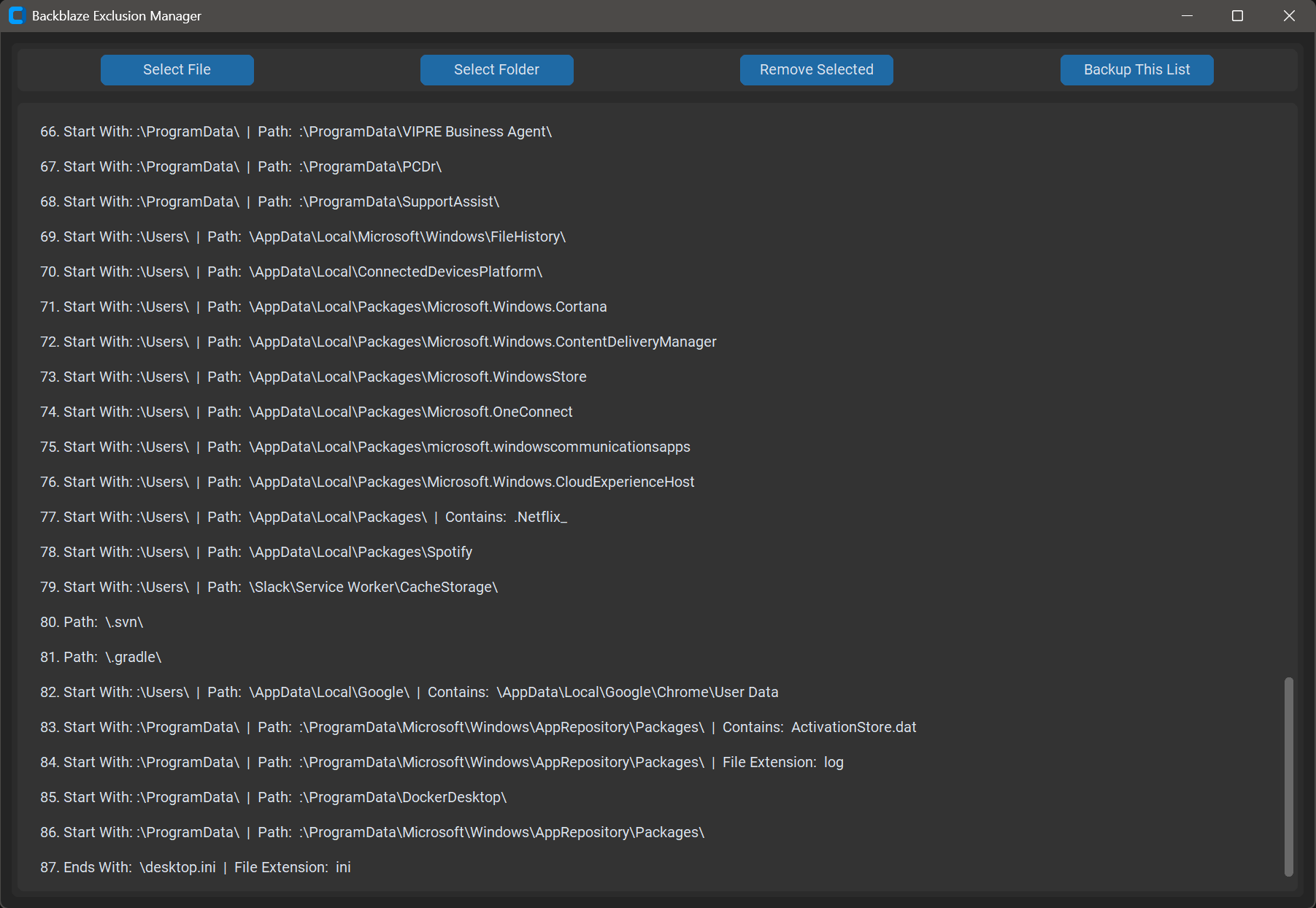
A small Python program to fine-tune the exclusion list for Backblaze personal backup: exclude files or folders from being backed up by simply selecting them.
Why it's needed
Backblaze personal backup only lets you choose whole drives, and every entry in
the exclusion list applies to all selected drives; no exclusion is tied to a
drive letter. Exclude C:\Windows and you've silently excluded D:\Windows
too. Backblaze does support precise, per-path exclusions through a hand-edited
XML file, but maintaining that by hand is cumbersome. This program writes those
XML entries for you from a file/folder picker.
Using it
Pick files or folders with the buttons; remove entries from the list with a confirmation step (removal is not undoable). The XML can be backed up from inside the app; it copies the file with a timestamp suffix so you can always roll back. A good companion step is clearing Backblaze's default extension-based exclusions in its own control panel, then managing everything here.
Windows and macOS (Windows gets a packaged exe; on Mac you run or compile the Python script, thanks to metadaddy for the Mac support merge). Not affiliated with Backblaze, Inc.